How to Schedule Contractor Appointments Without Losing Jobs
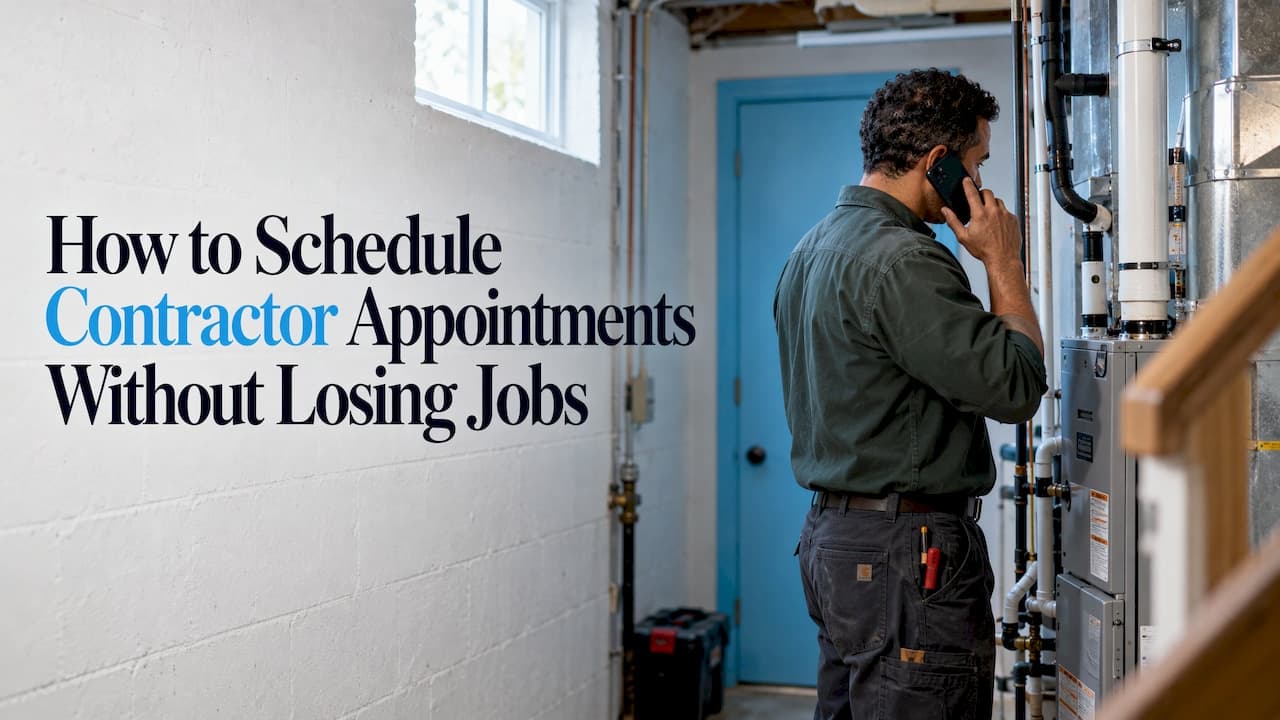
The fastest way to schedule contractor appointments is to answer every inbound call on the first ring, collect the same few details each time, and book straight into the calendar your crew already uses. Most lost jobs are lost before the scheduling even starts, because the phone rings while you’re on a roof, under a sink or in a crawl space. An AI voice receptionist like ChirpyDesk answers those calls around the clock and books the visit on live Google Calendar or Outlook, so the appointment exists before the caller dials the next contractor.
This guide walks through the full routine, from the first call to the day-before reminder, and shows where each step usually breaks.
TL;DR
- Speed decides who gets the job: the contractor who picks up and books during the first call usually wins it, so coverage of the phone comes before any scheduling tool.
- Ask the same short set of questions on every request: service, location, timing, urgency and next step.
- Offer a few workable time slots, not an open calendar. Count drive time, job length and buffers.
- Confirm right after booking, remind before the visit, and make rescheduling easy.
- Track answered calls, booked visits and no-shows weekly, so you can see whether the process is improving.
Table of Contents
- Why scheduling starts with the phone
- Step 1: Answer the call and capture the request
- Step 2: Qualify the job with a few fixed questions
- Step 3: Offer slots your crew can actually keep
- Step 4: Treat emergencies differently
- Step 5: Confirm right away
- Step 6: Handle changes without losing the slot
- A worked example
- How to tell whether it is working
- What ChirpyDesk costs
- Our perspective
- FAQ
- Sources
Why scheduling starts with the phone
A contractor appointment is not a meeting between two people with open calendars. It’s a promise that a crew, a vehicle, materials and a time window will line up at one address. That promise gets made, most often, on a phone call, and the call comes at the worst moment: when you or your office person are already busy with another job.
That is why a calendar app alone doesn’t fix the problem. A booking link helps the customers who use it. Plenty of homeowners with a burst pipe, a dead AC unit or a leaking roof still pick up the phone and call, and they call the next company on the list if nobody answers. Our guide on contractor call answering covers that side in more depth. Here we focus on turning the call into a scheduled, confirmed visit.
The routine below has six steps. Each one shows what it takes, where it tends to go wrong, and what ChirpyDesk takes off your hands.
Step 1: Answer the call and capture the request
The first job of any scheduling process is to be there when the request comes in. Every unanswered call is an appointment that never reaches your calendar, and callers rarely leave a voicemail for a job they can book elsewhere in two minutes.
What it takes. Someone, or something, has to answer every call, including evenings, weekends, and the times your crew is on site. Many small contractors cover this with a phone that rings on the owner’s cell, which works until the owner is holding a ladder.
Where it goes wrong. Busy signals, voicemail, long holds and rushed callbacks. A callback two hours later often reaches a customer who has already booked someone else.
What we do here. ChirpyDesk answers on the first ring, 24/7, and can handle over 100 simultaneous calls, so there are no busy signals and no hold times, even when a storm sends fifty people to the phone at once. It transcribes each call and sends you an email and SMS summary, so you start the day knowing who called and what they need rather than playing back voicemails.

Step 2: Qualify the job with a few fixed questions
Once the call is answered, the goal is to learn enough to book the right visit without turning the call into an interrogation. Two trade-focused guides agree on the core of it.
The agency Amplo Creative Digital advises confirming the requested service, the location and the desired timing first, then asking only the details that affect the work: property type, size, condition, access, and whether an inspection is needed. It also suggests skipping personal questions that don’t help you assess the job, summarizing the request back to the caller, and agreeing on a concrete next step, with any fee disclosed before booking.
A lead qualification checklist for trades frames it as seven questions: is it a service you do, is the property in your service area, can the customer send photos or video, when is it needed, does the scope match the budget, who approves the work, and what is the next step. It also warns against automatically rejecting a lead on budget or ZIP code alone.
Put those together and you get a simple intake script:
- What service do you need? (Match it against what you actually do.)
- Where is the property? (City or ZIP code, to check your service area.)
- When do you need it? (Today, this week, flexible.)
- Is anything urgent or unsafe? (Active leak, no heat, electrical burning smell.)
- Anything that changes the job? (Access, size, age of the system, photos available.)
- What happens next? (Site visit, phone estimate, written quote.)
Where it goes wrong. Different people ask different questions, so one booking has an address and no problem description, and another has a problem and no phone number. The crew shows up unprepared, or the visit has to be rebooked.
What we do here. ChirpyDesk can learn your business details from your website or documents, so it can answer questions about the services you offer and the areas you cover instead of guessing. Every call ends with a written summary and transcript in your inbox, which means the details are in the same place every time.
Step 3: Offer slots your crew can actually keep
This is the step that separates a calendar from a schedule. An open slot on a calendar doesn’t mean you can do the job at that time.
Booking systems in home services generally check business hours, service area, technician availability, estimated job duration and existing appointments before showing a slot, as HomesOps describes in its home service automation guide. The practical version for a small crew is a short fit test before you promise a time:
- Duration. How long does this type of job really take, including setup and cleanup?
- Travel. How far is the address from the previous job?
- Skills. Does this need a licensed electrician, or can any helper do it?
- Urgency. Does it displace something already booked?
- Uncertainty. What happens if the previous job runs long?
The last one is where most schedules fail. Jobs overrun, parts are missing, and traffic exists. A buffer between visits isn’t wasted time. It’s a decision about where normal uncertainty will land. If you want to build that margin into your estimates as well, this 15-minute checklist for common estimate mistakes is a handy companion, since an underestimated job is the most common reason the afternoon appointment slips.
A scheduling checklist for contractors from QuoteAnvil adds that the buffers should cover drive time, loading, disposal, permits, inspections, weather and cleanup, and that the date, arrival window, contact, access instructions and prep steps should be confirmed together.
Offer a window, not a minute. “We’ll be there between 1 and 3 p.m.” is a promise you can keep. “2:15” is a promise you will break.
What we do here. ChirpyDesk connects to Google Calendar and Outlook and books against the live calendar, so a slot you’ve already filled doesn’t get offered again. If you block off drive time or a buffer on that calendar, the receptionist works from the calendar as it stands. For more on avoiding conflicts, see our playbook on preventing double bookings.
Step 4: Treat emergencies differently
Not every call belongs in a normal time slot. A flooded basement or a gas smell doesn’t wait for Thursday. The routine needs a rule for it, written down before the call comes in:
- What counts as an emergency for your trade?
- Who gets contacted, and in what order?
- What does the caller hear while that happens?
Where it goes wrong. Emergencies and routine quote requests land in the same voicemail box, and the urgent one sits there for hours.
What we do here. ChirpyDesk routes emergencies and supports warm transfers, meaning the call is connected to a live person rather than just forwarded blind. Calls that aren’t urgent go on the calendar instead. Spam and sales calls are screened out, so your phone rings for real customers.
If you also run a larger operation where many calls land at once, high volume call answering and inbound call management go deeper on handling the peaks.
Step 5: Confirm right away
A booking that exists only in the caller’s memory is fragile. A good confirmation turns it into something both sides can check.
A useful confirmation, sent right after booking, should include:
- The service and the address
- The date and the arrival window
- A phone number to reach you on the day
- Any preparation the customer needs to do (clear access to the panel, move a car, secure pets)
- A clear way to reschedule or cancel
Then add reminders in a pattern that suits the job: one the day before, and for visits that sit further out, a first reminder a few days ahead. A morning-of message with the arrival window is the one customers value most, because it answers “are you still coming?” before they have to ask.
Where it goes wrong. Confirmation is manual, so it happens when someone remembers. That’s usually the busiest week, which is also when no-shows cost the most.
If you’re setting up automatic follow-up, this guide on handing customer follow-up to AI agents without losing trust is useful for deciding what to automate and what to keep personal.
What we do here. Because ChirpyDesk sends an email and SMS summary of each call, you and your office have the booking details in writing the moment the call ends, ready to copy into whatever confirmation or reminder routine you use.
Step 6: Handle changes without losing the slot
Contractor schedules move constantly. When one appointment changes, more than its start time changes. Recheck who is assigned, which tools or vehicles are shared, the location, any preparation deadlines and the follow-up work that depended on that visit.

Record why an appointment moved or was cancelled, in plain factual terms, rather than marking it completed. After a few months those notes show you patterns: a certain kind of job that always overruns, a time of day that always gets cancelled, a customer who no-shows twice.
When someone calls to reschedule, treat it as a booking, not an apology. Offer two or three workable alternatives immediately. The call you answer on the first ring is the one that keeps the job.
A worked example
Take a two-person HVAC company. Maria, the owner, is in an attic at 4:40 p.m. when a homeowner calls about a unit that stopped cooling.
Without an answered phone, the call goes to voicemail. The homeowner calls two more companies. By the time Maria checks her messages at 6:30, one of them has booked a visit for the next morning.
With the call answered on the first ring, the homeowner gives the address, describes the problem, and says the house is already hot. The call is flagged as time-sensitive. A visit is booked for the next morning window on Maria’s calendar, with a summary sent to her phone by SMS and email. She reads it between jobs, sees the details, and knows what to bring. The only thing she did was her job.
That is the whole argument for fixing the phone before the calendar: the appointment gets made while the customer is still on the line.
How to tell whether it is working
You don’t need a dashboard of twenty numbers. Five are enough, reviewed weekly:
| Measure | What it tells you |
|---|---|
| Calls answered vs. calls received | Whether people are reaching you at all |
| Calls that turned into booked visits | How well the intake step works |
| Time from request to confirmed appointment | Whether you respond faster than competitors |
| No-show and late-cancel rate | Whether confirmations and reminders are doing their job |
| Jobs won from booked visits | Whether you are booking the right kind of work |
Track them for a few weeks before changing anything, then change one thing at a time. If answered calls are high but booked visits are low, the problem is your qualifying questions or your availability. If booked visits are high but no-shows are too, tighten the reminders.
What ChirpyDesk costs
ChirpyDesk is a subscription with a 7-day free trial. The published plans are the Starter Plan at $24.99 per month, the Pro Plan at $79.99 per month and the Scale Plan at $199.99 per month, with optional pay-as-you-go minute packs. You can see what each includes on the pricing page, or go straight to the ChirpyDesk app to set up your receptionist.
For a contractor, the arithmetic is simple: one extra job booked that would have gone to voicemail typically costs more than a month of any of these plans.

If you want the whole setup in one place, ChirpyDesk answers your calls, books against your live calendar, and sends you a summary of every call.
Our perspective
Contractors don’t lose appointments because their calendars are bad. They lose them because the phone rings when their hands are full.
We built ChirpyDesk around that moment. It answers on the first ring, handles more than 100 calls at once, learns your services and service area from your website, and books into the Google Calendar or Outlook you already use. When a call is an emergency, it routes it and supports a warm transfer so a person picks up.
Our view is that scheduling is a response-time problem first and a software problem second. A caller who is booked during the first call has no reason to keep shopping. Everything after that, confirmations, reminders, buffers, is easier when the booking already exists.
ChirpyDesk
FAQ
What is the best way to schedule contractor appointments?
Answer every call, ask the same short set of questions each time, and book into one shared calendar with realistic time windows. ChirpyDesk handles the first two parts by answering on the first ring and booking on your live Google Calendar or Outlook, so the visit is set before the caller hangs up.
How far apart should I schedule contractor visits?
Leave room for drive time, setup, cleanup and the chance a job runs long. There’s no single right number, since a plumber’s service call and a kitchen remodel behave differently. Start with the longest typical duration for each job type, add a buffer, and adjust as your weekly notes show where jobs overrun.
Can an AI receptionist book appointments for emergencies and routine jobs?
Yes. ChirpyDesk books routine visits on your calendar and routes emergencies, with warm transfers to a live person when a call needs one. You decide what counts as urgent for your trade.
How do I reduce no-shows for contractor appointments?
Confirm in writing right after booking, send a reminder before the visit, and make rescheduling as easy as booking. Keep a factual record of every cancellation and no-show so you can spot repeat patterns. ChirpyDesk’s email and SMS call summaries give you the booking details in writing the moment the call ends.
How is scheduling a contractor appointment different from construction scheduling?
Construction scheduling plans the sequence of tasks across a whole project over weeks or months. A contractor appointment is a single visit, such as an estimate, a service call or a start date, that has to fit one crew’s day. This guide covers the second kind.
Sources
- Amplo Creative Digital: how a service business should respond to and qualify leads
- Web Blend: contractor lead qualification checklist
- HomesOps: home service business automation, booking and scheduling
- QuoteAnvil: contractor job scheduling checklist