High Volume Call Answering: How to Never Miss a Call
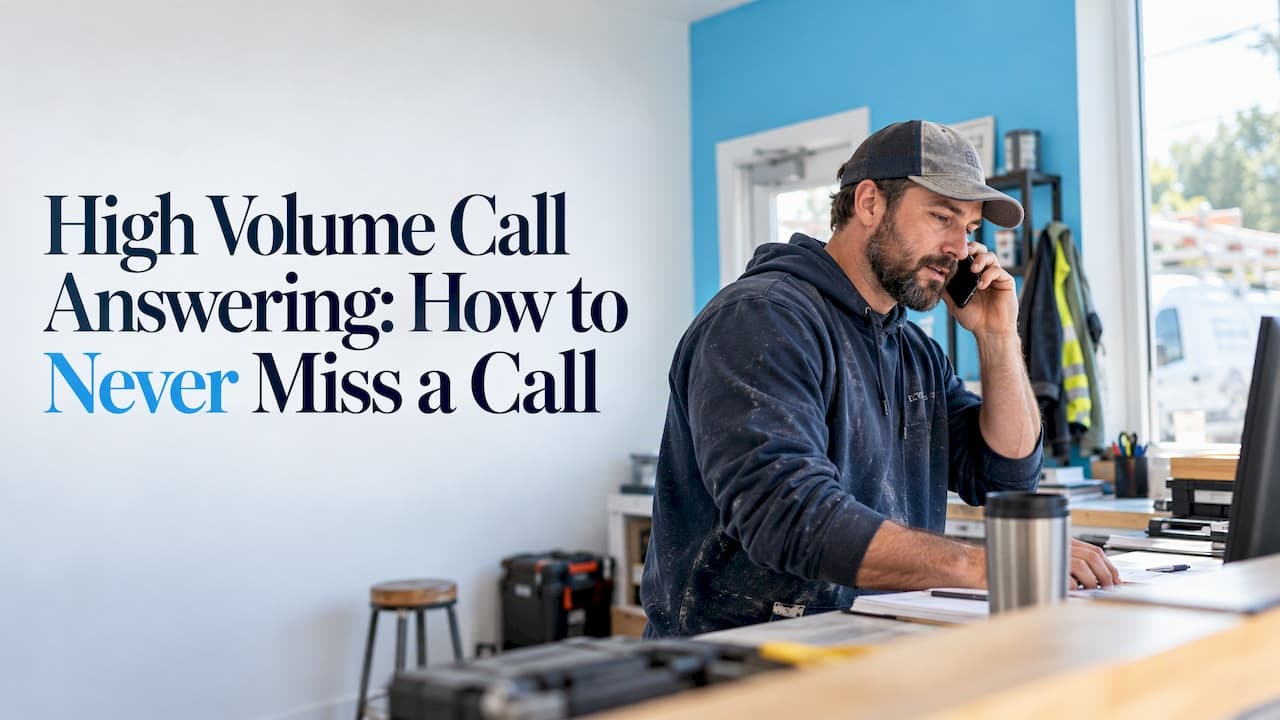
High volume call answering means every caller gets a live response even when more people call than your staff can pick up. In practice you have three options: add people, route overflow to a second layer, or put an AI receptionist in front that answers every call on the first ring. For most small and mid-sized businesses, the third option is the fastest to set up and the cheapest to run. This guide covers what counts as a surge, how to measure it, and how to build a setup that holds up on your busiest day.
TL;DR
- High call volume is usually defined as calls running about 10% or more above your normal baseline, sustained for a couple of weeks, not one busy Monday.
- The real cost is not the noise. It is callers who hang up and book with whoever answers next.
- Track three numbers: how fast calls are answered, how many callers hang up, and how many calls go to voicemail.
- An AI receptionist can take over overflow or every call. ChirpyDesk handles over 100 simultaneous calls with no busy signals and no hold queue.
- Plans start at $24.99 per month, with a 7-day free trial.
Table of Contents
- What counts as high call volume
- What missed calls actually cost
- The metrics to track
- The standard ways to handle a call surge
- How an AI receptionist handles high volume
- Perspective
- What an AI call answering service costs
- A practical setup for your busiest weeks
- Who benefits most
- Try it on your own line
- FAQ
- Sources
What counts as high call volume
There is no universal number. One analysis defines high call volume as the point where inbound calls outpace your team’s ability to answer within your target service levels. A dental office with 40 calls a day and one front-desk employee can be overwhelmed. A call center with 4,000 calls a day and 60 agents may be fine.
Two rules of thumb help you decide whether you have crossed the line:
- The 10% rule. The commonly cited threshold is a 10 percent increase over the normal level.
- The duration rule. The same source says the spike should persist for a sustained period, which depending on the business could be two to three weeks. One chaotic day is a bad day. Three weeks of it is a new baseline you have to staff for.
For a small business, the better test is simpler. Ask whether a caller ever reaches voicemail, a busy signal or a long ring during business hours. If the answer is yes more than occasionally, you have a high-volume problem, whatever the raw call count says.
Why volume spikes happen
Causes fall into three groups, and each calls for a different fix. Invoca describes demand-driven surges, disruption-driven spikes and operations-driven capacity failures.
- Demand-driven: a seasonal rush, a marketing campaign, a promotion, a new listing going live. Contractors see this after a storm. Law firms see it after a news event or an ad launch. Clinics see it at the start of flu season.
- Disruption-driven: an outage, a recall, a schedule change, a billing error. Everyone calls at once with the same question.
- Operations-driven: the phones were never staffed for normal demand. Someone is at lunch, out sick, or with a client, and the phone rings through.
The third group is the most common in small businesses, and it is the easiest to fix. You do not need a bigger team. You need the phone answered while your team does the work they are paid for.
What missed calls actually cost
The same analysis notes that high volume can increase waits and abandonment, burn out agents and leave revenue-driving conversations unanswered. The last point matters most for a service business. A caller who wants a root canal, a custody consultation or an emergency pipe repair rarely leaves a voicemail and waits. They call the next name on the list.
There is also a drift in expectations. One report cites a U.S. average speed to answer of 74 seconds, roughly a third higher than pre-pandemic norms. If a typical competitor makes people wait over a minute, the business that answers in one ring stands out at the exact moment the caller is deciding.
A simple back-of-the-envelope calculation shows what this means for you:
- Count how many calls you miss in a typical week (your phone system or carrier log shows this).
- Estimate what share are new inquiries rather than existing customers.
- Multiply by your average first-job or first-visit value.
Even a handful of missed new-client calls a week usually adds up to more than a year of software cost. Treat the result as your own estimate, not a benchmark.
The metrics to track
You do not need a call center dashboard. You need a few numbers you can read at a glance.
| Metric | What it tells you | Benchmark often cited |
|---|---|---|
| Average speed to answer | How long callers wait before a person or system picks up | A U.S. average of 74 seconds in one report |
| Service level | Share of calls answered within a set time | 80% of calls within 20 seconds, a target few centers consistently hit |
| Abandonment rate | Callers who hang up before reaching anyone | Varies by source, lower is always better |
| Voicemail rate | Calls that go to a mailbox during open hours | Aim for as close to zero as you can |
| Average handle time | How long each call takes | About 4 to 6 minutes in contact centers, varying by industry and complexity |
Two cautions on using these numbers. First, handle time is not a score to minimize. One trade publication advises that a lower handle time that hurts clarity, empathy or accuracy is not a win, and suggests using a range and rolling averages to smooth spikes. Second, benchmarks come from large contact centers. A five-person practice should use them as a reference point and compare itself mainly against its own history.
The number that matters most for a small business is the voicemail rate during open hours. It is easy to count, and each one is a lead you may have lost.
The standard ways to handle a call surge
Before choosing a tool, it helps to know the standard toolkit. Most guides on this topic describe the same set of tactics.
Callbacks instead of hold music
Offering a callback is one of the simplest changes. A study cited by Zendesk found that 75 percent of customers prefer a callback to waiting on hold, and that offering the choice can lower abandonment. The catch for a small business is follow-through. A callback promise only works if someone actually calls back, quickly, with the caller’s details in hand.
Routing and overflow
Overflow means that when your main line is busy, extra calls are sent automatically to a second destination: another person, a group, or an outside service. It protects you from busy signals, but it only helps if the second destination can really absorb the load. A second human who is also busy just moves the queue.
Self-service and other channels
Some callers only want hours, directions or a status update. Giving them a website answer, a text message or a booking link takes pressure off the phones. If you are rebuilding your site anyway, booking systems built into your website let people schedule without calling at all, which trims the volume that reaches your front desk.
More staff
Hiring for the peak means paying for idle time the rest of the year. Hiring for the average means missing calls at the peak. That tension is why many small businesses stop trying to solve this with headcount.
Automated answering
An automated voice receptionist answers every call at once, so there is no queue to manage. This is the approach we focus on below.
How an AI receptionist handles high volume
A human receptionist can speak to one caller at a time. Software has no such limit. ChirpyDesk is built so that the thousandth call of the day gets the same first-ring answer as the first.
Here is what that looks like for the problems above.
No hold times or busy signals. ChirpyDesk can handle over 100 simultaneous calls. If a storm, an ad campaign or a seasonal rush sends fifty people to your number at once, each one is greeted immediately.
Accurate answers about your business. You can train it from your website or from documents, so it answers with your hours, services and policies rather than generic replies. It is designed to stay within that knowledge, not to improvise.
Booking while the caller is on the line. It connects to Google Calendar and Outlook, so appointment requests are checked against your live availability and booked on the spot. For clinics, our guide to scheduling patient appointments by phone goes deeper.
Urgent calls reach a person. Emergencies can be routed through a warm transfer, so the caller is connected to someone on your team with context rather than dropped into a menu. See our overview of live call transfer for the types and how to set them up.
Records you can act on. Each call produces a transcript and an email and SMS summary, so you can follow up with the callers who matter first.

Fewer wasted interruptions. Spam calls are screened out, so they do not compete with real customers for your attention.
Prioritizing urgent calls during a rush
A surge is when triage matters most. A simple rule set works well, and you can adapt it to your trade:
- Define what is urgent in writing. For a contractor, that might be active water, gas or no-heat situations. For a clinic, symptoms that call for immediate attention. For a law firm, a person in custody or a looming court deadline. Where the situation involves health or safety, have your licensed professionals set the criteria.
- Decide who gets the warm transfer. Name a primary and a backup person, with the hours each is reachable.
- Handle new-client inquiries next. These are the highest-value calls, so capture name, number, need and preferred time on every one.
- Send routine questions to answers or booking. Hours, directions and rescheduling do not need a person.
- Review the summaries each morning. Follow up first with any call flagged urgent or from a new prospect.
Industry guides: if you are a contractor, our article on contractor call answering covers the job-loss side. Clinics can read about an automated medical answering service, and financial firms about a finance answering service.
Perspective
Most advice on high call volume assumes you have a call center and are trying to make it more efficient. Most of the businesses we talk to have the opposite situation: a small team, a phone that rings at the worst moments, and no one free to pick up.
Our view is that the answer is not a better queue. It is no queue. When every caller is greeted on the first ring, the usual levers (hold music, callback promises, overflow rules) stop being the main event. They become fallbacks.
We built ChirpyDesk around that idea. It answers around the clock, handles over 100 calls at once, books appointments into your live calendar, and warm-transfers the calls that need a human. We also designed it to learn your business from your own website and documents, so callers get answers specific to you.
The goal is simple: the person who calls at 6:40 on a Saturday evening, or during your busiest week of the year, hears a helpful voice and ends the call with a booking or a next step.
ChirpyDesk
What an AI call answering service costs
Prices for answering services vary widely by model: per-minute rates, per-call rates, monthly bundles and seat-based pricing all exist. Before comparing quotes, put them on the same footing by asking what is included, how overage minutes are charged, and whether integrations cost extra.
ChirpyDesk uses a simple subscription with tiered monthly plans:
| Plan | Price |
|---|---|
| Starter | $24.99 per month |
| Pro | $79.99 per month |
| Scale | $199.99 per month |
If you expect a spike, optional pay-as-you-go minute packs are available on top of a plan. Every plan starts with a 7-day free trial. The pricing page has the current details of what each tier includes.
For context, the factors that usually drive the cost of any answering solution are your call volume, the length of the average call, how many integrations you need, and whether you want features like transcripts and summaries. Compare those against what a part-time receptionist costs in wages, and against what one missed new-client call is worth to you.
For a wider look at costs and choices, read our guide to 24/7 call answering options and the benefits of a virtual receptionist.

A practical setup for your busiest weeks
You can have a working setup in an afternoon. Here is a sequence that fits most small businesses.
- Measure your baseline. Pull two to four weeks of call logs. Note total calls, calls that went to voicemail, and the busiest hours.
- Write down what callers ask. The top ten questions cover most calls. Put the answers on your website, since that is what the AI learns from.
- Connect your calendar. Link Google Calendar or Outlook so availability is real and double-booking is avoided.
- Set your urgent rules. Decide what triggers a warm transfer and who receives it.
- Start with overflow or go all in. Some owners begin by forwarding only unanswered calls. Others route everything through ChirpyDesk so staff are never interrupted. Either works, and you can switch.
- Review summaries daily. Follow up quickly on new inquiries. Speed on the callback is part of the experience.
- Recheck your numbers after a month. Compare voicemail rate, bookings and missed new-client calls against your baseline.
If you want to get a feel for how it works, the 7-day free trial lets you run it on your own number before committing.
Who benefits most
The businesses that get the most from high volume call answering share one trait: each call can be worth a lot of money, and the person who would answer it is busy doing something else.
- Medical and dental clinics: appointment requests, refill and hours questions, and urgent symptoms that need routing.
- Law firms: new-client intake at any hour, with urgent matters transferred to an attorney.
- Contractors and home services: emergency jobs that go to whoever picks up first.
- Real estate and automotive services: buyers and customers who call while comparing several options.
- Startups: a professional first impression without building a phone team.
If you want the fundamentals first, start with what an AI receptionist is and how it works.
Try it on your own line
If missed calls are costing you work, ChirpyDesk answers each one on the first ring, books into your calendar, and sends you a summary by email and SMS. Plans start at $24.99 per month, and you can try it free for 7 days.

See the plans on our pricing page, or start from the ChirpyDesk homepage.
FAQ
How many calls count as high call volume?
There is no fixed number. A common rule is calls running about 10% above your normal level, lasting two to three weeks. For a small business, the practical signal is any caller reaching voicemail or a long wait during open hours.
Can an AI receptionist really take many calls at the same time?
Yes. ChirpyDesk is built to handle over 100 simultaneous calls, so callers do not hear a busy signal or wait in a queue. Each call is answered, transcribed and summarized for you.
What happens when a caller has an emergency?
You define what counts as urgent, and ChirpyDesk can warm-transfer those calls to the person you name. The caller reaches a human, and you also get a summary of the call by email and SMS.
How much does ChirpyDesk cost?
Plans are $24.99 per month for Starter, $79.99 per month for Pro and $199.99 per month for Scale, after a 7-day free trial. Optional pay-as-you-go minute packs are available if your volume spikes. See the pricing page for what each plan includes.
Sources
- High Call Volume: Causes and Solutions for Contact Centers
- Proven ways to deal with high call volume
- How to Reduce Average Handle Time Without Lowering Quality